
Patient Cards: Everything you need to know about a patient on one screen
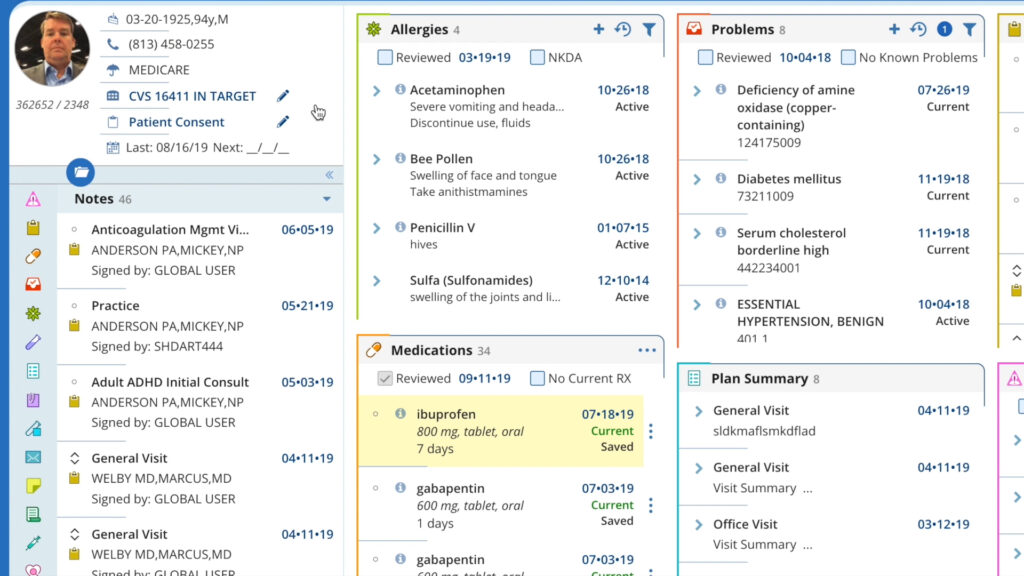
Patient cards are a growing library of clinical summaries customized to each physician in your practice and designed to simplify access to common charting elements: clinical history, demographics, financial data, appointments, and more without navigating across multiple screens or modules.
Faster access
Clinical documentation is chronologically-ordered and presented in summary form for a remarkably efficient way to access exactly what you need.
Easily customized
Clinical elements are unique to each physician in your practice letting you choose only the cards you find most relevant.
Manageable & personal
Arrange cards anywhere in your workspace and any way you want. Dock and undock cards, set the size from large to small – the experience is catered to you.
How can patient cards change your opinion of traditional EHR?
Our revolutionary patient cards give you a summary snapshot of chronologically-ordered patient data so you can access & manage clinical documentation faster in your EHR software system. Each Patient Card pulls from the patient’s full record in the EHR and practice management system, surfacing the most clinically relevant details at the moment of care. No digging. No switching tabs. No missing context.
Built into AdvancedMD EHR - No extra navigation required
Patient Cards are a native software feature of the AdvancedMD EHR platform. Providers and staff access them directly from the schedule, the patient list, or from within an open patient chart without leaving the workflow they’re already in.
Because Patient Cards are connected to the live AdvancedMD record, the information is always current. There is no manual refresh, no synchronization lag, and no separate data entry required.
Answer any patient questions in seconds
When you have immediate access to the right data, people take note. With our patient cards you get immediate access to key data with the ability to perform repetitive tasks faster – all while reducing cognitive stress. A snapshot of chronologically-ordered patient data lets you access and manage clinical documentation faster.
A visual dashboard built around how physicians work
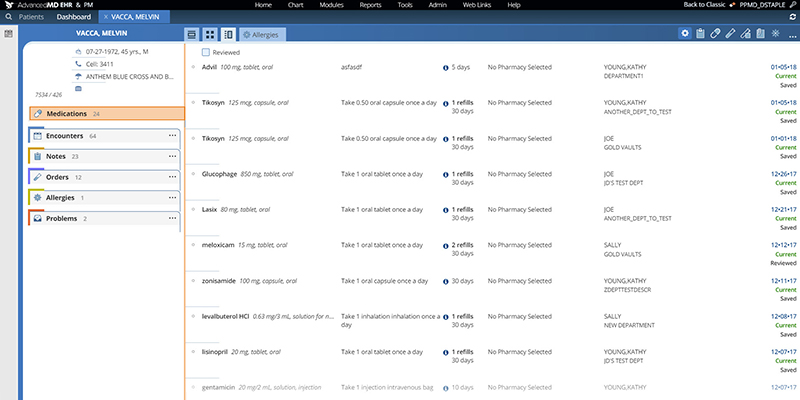
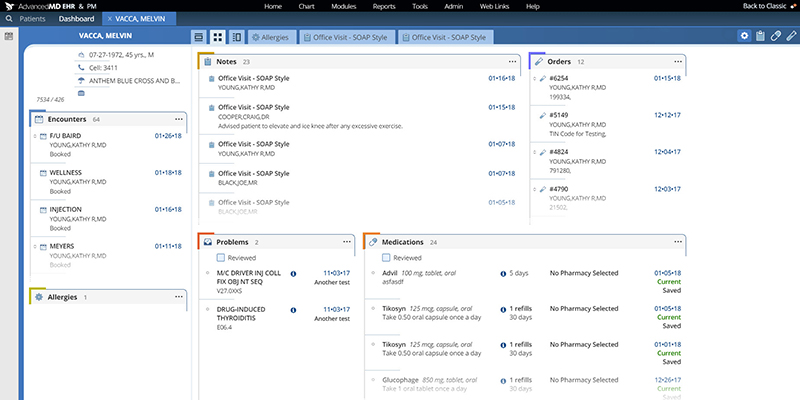
Drill-down donuts in the EHR dashboard are prioritized to your daily tasks. These visual, interactive graphs help you complete tasks faster with minimal clicks. They also display alerts for urgent issues – such as abnormal lab results – that can help physicians avoid critical oversights.
What’s on a patient card?
Each Patient Card in AdvancedMD displays a comprehensive view of the patient record, organized for clinical efficiency:
- Clinical Summary: Active problem list, current medications, allergies and adverse reactions, recent diagnoses and ICD codes, upcoming and past appointments
- Administrative: Provider and care team assignments, referral status, document and form history, patient portal enrollment status
- Demographics & Contact: Patient name, date of birth, gender, preferred pronouns, primary and secondary contact information, emergency contact, insurance and guarantor information
- Financial Overview: Outstanding balance, insurance eligibility status, recent billing activity, copay and patient responsibility
Why patient cards and summaries matter for private practice workflows
We built patient cards with the software to be context aware, meaning you can easily see full patient summaries and clinically-relevant data in context of your workflow alongside patient charts. On any device and from anywhere, you can practice in a way that is logical to your style.
- Independent and group practices: Patient Cards report fewer errors from missing context, faster chart preparation before appointments, and reduced time switching between modules during a patient encounter.
- For practices managing high patient volumes: Patient Cards reduce the cognitive load of tracking multiple data points across a complex EHR that is consolidating what used to require several clicks into a single patient summary and organized view.

Our growing library lets you customize patient charts to your exact needs.
Medications
Problem lists
Allergies
Notes
Encounters
Demographics
Frequently Asked Questions
Unable to find an answer you’re looking for? No problem. Chat with a live person and we’ll work to get your question answered.
What are Patient Cards in an EHR?
Patient Cards are a feature in electronic health record (EHR) software that consolidates a patient’s key clinical, demographic, and financial information into a single, organized view. In AdvancedMD, each Patient Card draws from the patient’s live record and updates automatically as the chart changes.
What information is displayed on an AdvancedMD Patient Card?
AdvancedMD Patient Cards display demographics, contact information, insurance details, active problem list, current medications, allergies, recent diagnoses, appointment history, outstanding balance, and administrative information such as provider assignments and referral status.
Do Patient Cards replace the full patient chart?
No. Patient Cards are a summary view designed for quick reference, not a replacement for the full chart. Providers access the complete patient record, documentation tools, and clinical workflows through the AdvancedMD EHR. Patient Cards surface the most frequently needed information immediately.
Are Patient Cards available on mobile?
AdvancedMD offers a mobile application for providers and staff. Patient record access via mobile follows the same permissions and data as the desktop EHR. Check with your AdvancedMD account team for current mobile feature availability.
How do Patient Cards connect to billing and practice management?
Because AdvancedMD is an integrated EHR and practice management platform, Patient Cards reflect financial and billing data from the same system including insurance eligibility, outstanding balances, and copay information without any separate integration or data sync.
Request a Live Demo
Complete the form below for a live demo to see all that AdvancedMD has to offer.